Design Tokens at Scale: Building a Private Label Ecosystem with Figma Variables

Before After
Before After

Context

Product VIU by HUB's Private Label Partners

VIU by HUB sought to build a scalable private label insurance experience for industrial clients — Honda, Mazda, and Vlaon — seamlessly integrating their quote flow into each partner's ecosystem while maintaining full brand fidelity.

Shipped 2025

Details

Role Product Design Lead
Team Tech, Business, Solutions, and Marketing
Scope Design system, Figma Variables, tokenization, assets governance, design ecosystem

Problem & Challenges

01

No Scalable System — Technical Debt

Without a centralized logic, every new client added maintenance burden. Technical debt compounded each cycle, making it impossible to scale efficiently.

02

The Scope Gap

Upfront communication gaps led to expectation mismatches mid-project — stakeholders often expected custom features outside the core product offering.

03

Asset Friction

Chasing assets from clients was a recurring bottleneck. Accessibility failures and non-standard files routinely delayed the start of design work.

My Strategic Approach

Approach

A Standardized Ecosystem

Rather than treating each client as a manual UI task, I recognized the operational bottleneck this created at scale. I moved beyond simple UI skinning and designed a standardized onboarding ecosystem across four strategic phases — eliminating guesswork and discovery lag that typically plagues enterprise integrations.

Impact & Result

2–3×

Onboarding Capacity Scaled

Without adding headcount

Months
→ Weeks

Customization Lifecycle

End-to-end delivery accelerated

0

Client-Facing Incidents

Incident-free for every launch 💖


Phase 1 - Asset and requirement governance

My final approach is to provide a standardized onboarding toolkit to the client before design work begins. I believe that without thorough understanding and aligned expectations on both the client and design sides, the process will be filled wit unknowns and lead to a poor customer experience.

Key actions of the client onboarding process

The Customization Workbook (Excel)

A comprehensive intake form that requires clients to audit and provide brand assets — Logo, favicon, typography, semantic colors, iconography, etc., against our specific technical requirements.

The Customization Guideline PDF

A visual guidance that serves as a comprehensive reference for the client's team.

The Workbook Excel contains…

  • There is a size and format requirement for Logo and Favicon, and the user needs to provide the PNG/SVG to the design team

  • We ask clients for the font family, font weight, spacing, and line height in the Excel sheet. Each field has a detailed guide and example, customer needs to replace these fields with their own brand value.

  • The image and illustrations appear on the screens, including the address entry, error message, and each screen has its own set of requirements. The user should review the guidance PDF provided by the team and provide the assets in the correct format and dimensions

  • The submission checklist provides a list of final deliverables that user needs to send to the team. For all graphic assets, they will have to combine them into a zip compressed folder.

The customization guideline PDF contains:

A visual guidance that serves as a comprehensive reference for the client's team. Its purpose is to assist them in preparing the specific information and files required for the Excel workbook. It includes visual examples and technical specifications for every customization area, such as image dimensions, file formats, and the exact placement of each element within the quoting experience.

Snippets of the customization guideline


Phase 2 - Semantic token architecture and implementation

In this stage, I translated the governed client assets into a deterministic design system. By using a multi-layered token architecture, designers can ensure that the transition from "raw data" to "branded UI" is automatedscalable, and error-free.

Library Architecture & Tokenization

Start by establishing the Client Property Library to systematically store all private label assets, including logos, favicons, images, illustrations, and icons.

Our client, AHIS (American Honda Insurance Solutions), requested a custom icon style to match their brand’s aesthetic and color palette. We provided them with a series of white-label icon packages; once the customization was complete, we integrated these Honda-specific icons into our private label library in Figma.


Applying tokens and variables in Figma

To translate client assets into the white-label environment, I transformed hex codes and typography into semantic design tokens. These tokens were then mapped to specific brand variables, allowing for an automated and consistent theme application across the entire product.

Color tokens created inside the Global Design System in Figam.

Text tokens created inside the Global Design System in Figam.


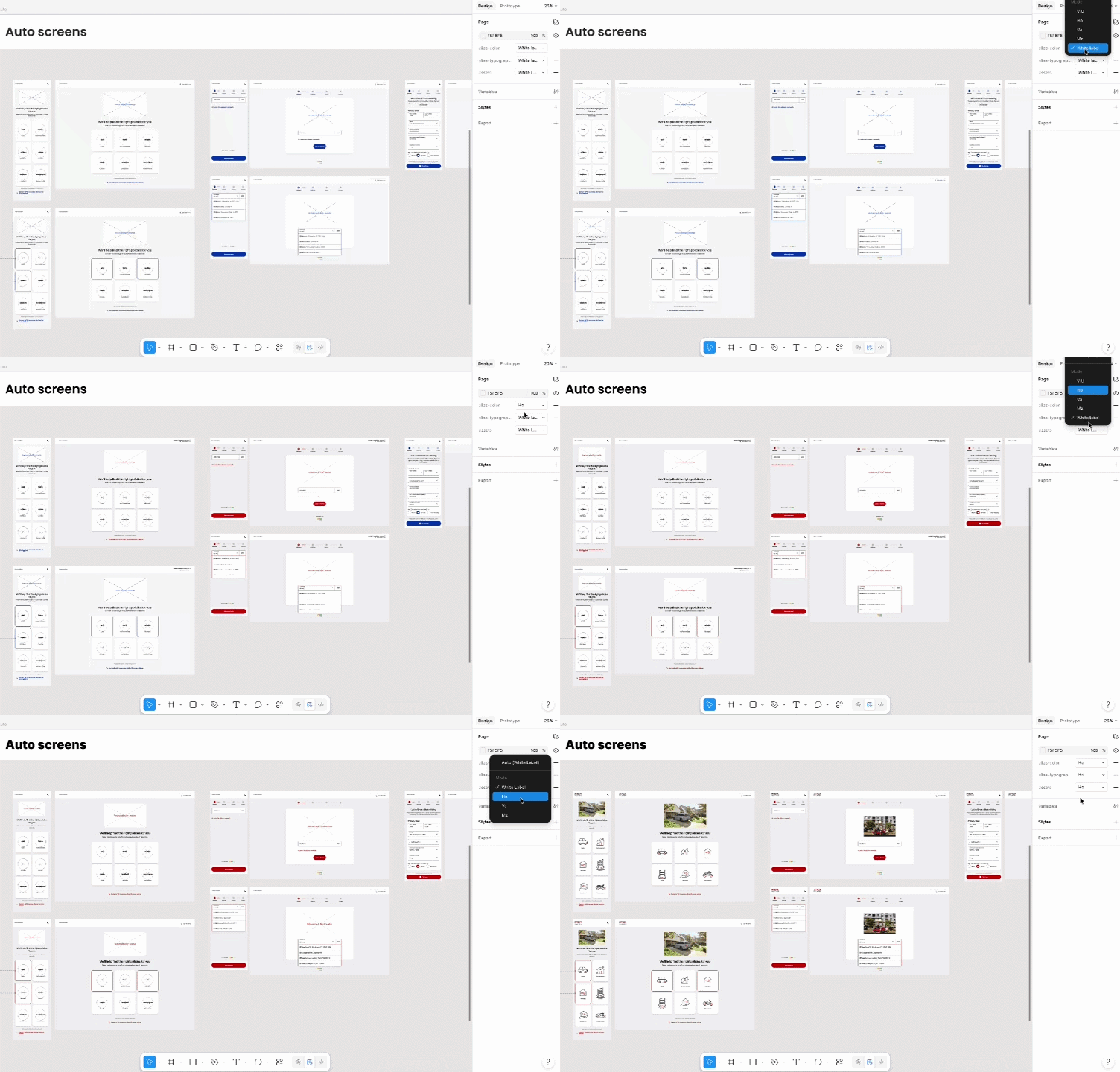
After publishing the tokens to the design system, they become available in the private label template. By simply switching the token variables in the template, all logo, color, text, and illustration assets will update automatically within the mockup.


Assets audit and verification

After applying the tokens and variables, the final review and audit are also required to verify that everything meets the industry standard, including accessibility validation, such as color contrast inspection for WCAG AA.

This served as a validation gate where designers could:

  • Identify UI Friction: Detect contrast issues, font-scaling anomalies, or alignment breaks caused by specific client assets.
  • Document Constraints: Create a precise list of technical issues to be addressed before the official project kickoff.

Phase 3 - Client review & Design iteration

Following the generation of branded prototypes, a Client sync meeting will be conducted with the client to review all the mocks and copy. At this phase, design iterations are performed to finalize the UI before moving to implementation, and we aim to have quick iterations with a sufficient onboarding process.

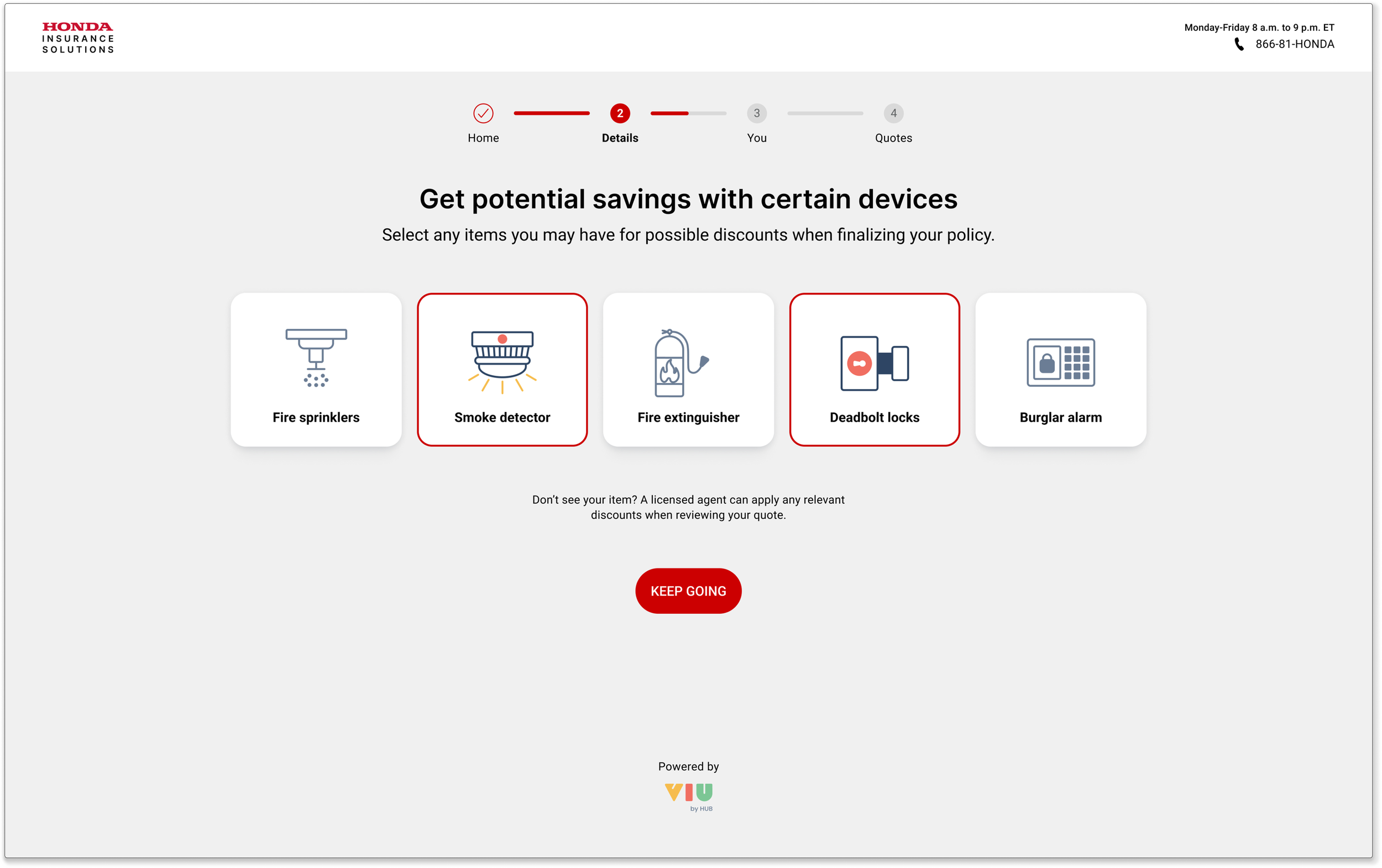
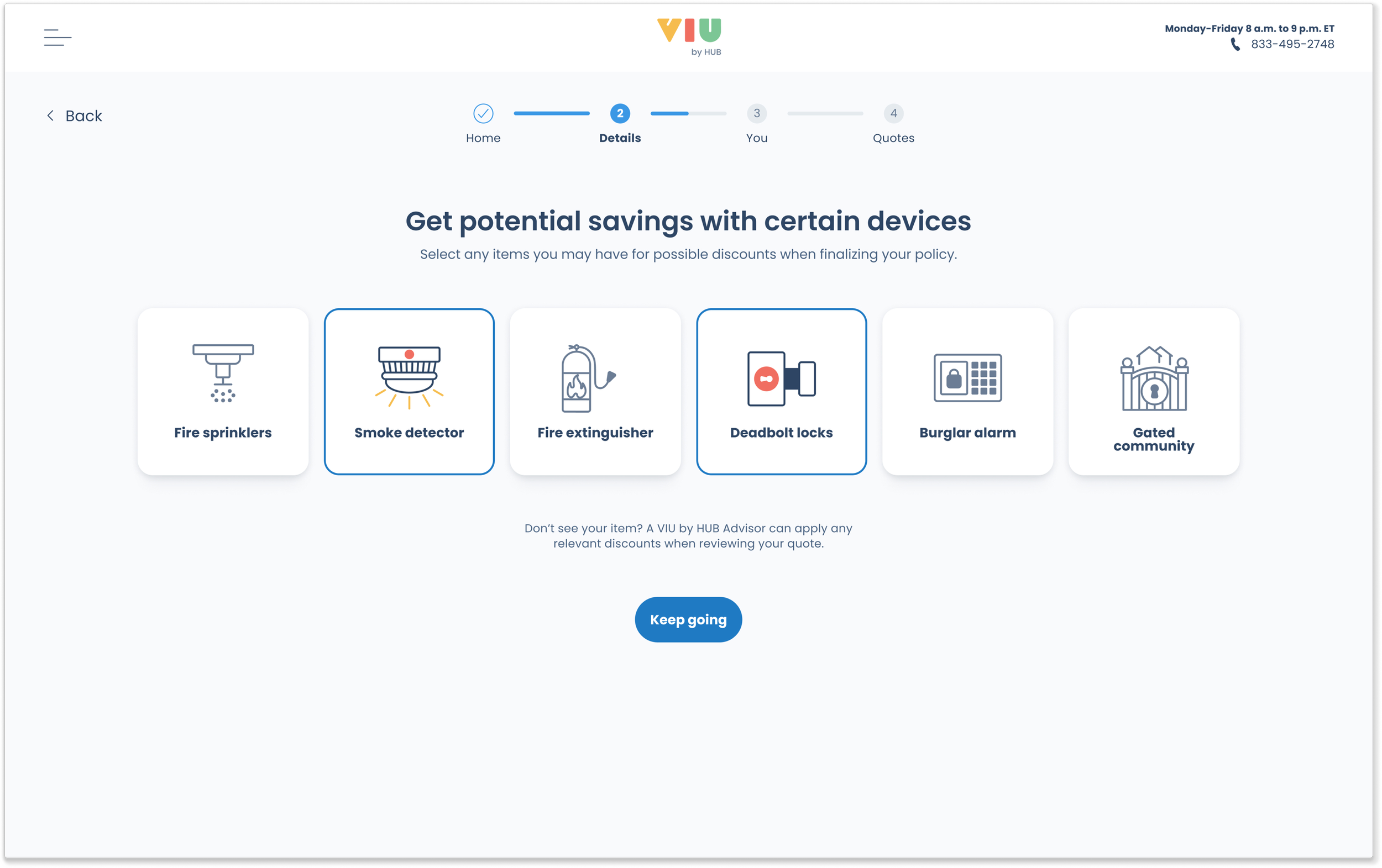
Before After
VIU by HUB Honda Private Label

Phase 4 - Implementation and Design QA

Once the design gets the client's approval, dev tickets will be created in Jira for the implementation.

The final phase focuses on bridging the gap between design and engineering through a single source of truth. By ensuring Semantic Tokens in Figma map directly to the codebase, the implementation process is streamlined to eliminate translation errors.

Rigorous Design QA is performed in the dev environment to verify that the live experience maintains high fidelity across all browser environments and brand configurations. Designers work with the QA team to ensure the flow is polished and accurate across both the interface and flow logic.


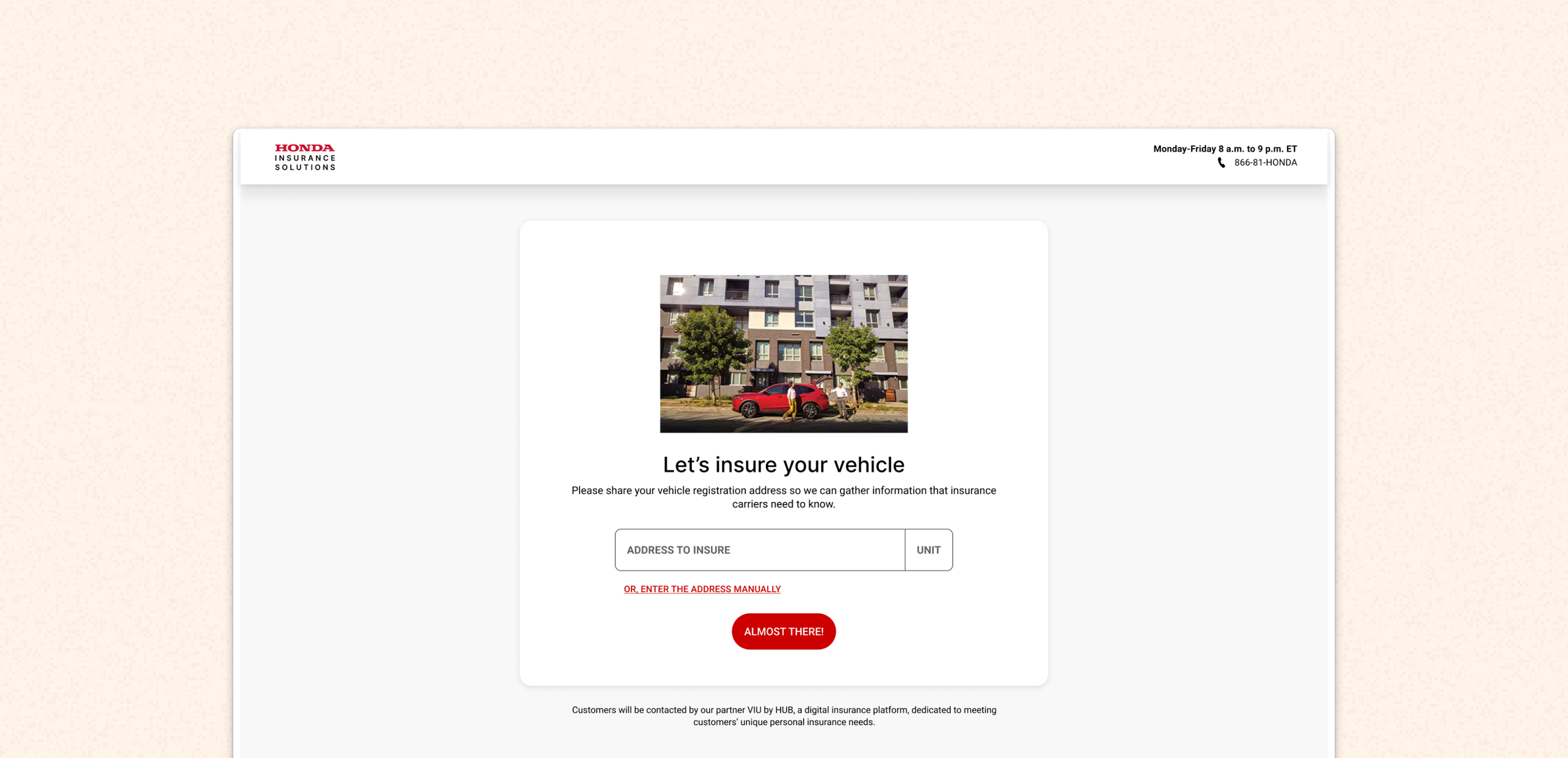
Honda private label live site demo:


Impact & Strategic Outcomes on the Private Label Project

The architecture of the onboarding and variable switching system has noticeably increased efficiency. The whole development of this scalable, client-focused, end-to-end solution that benefits both the VIU design team and clients — delivering a seamless private label experience.

This process reduced the customization lifecycle from months to weeks, scaled client-onboarding capacity by 2–3x without adding headcount, and eliminated costly rework — accelerating delivery and driving revenue growth.

Finally, the Design QA conducted on the dev environment has delivered an incident-free experience for every client. 💖


Thanks for reading!